Your spoiler-free book companion
Read more.
Spoil less.
A book wiki and reading tracker that only shows you what you’ve already read. Share every reaction and keep your reading life beautifully organised.

A reading app that knows how far you’ve got
Everything in BookBubble follows your reading progress, so you can dig into a book as much as you like without running into anything you haven’t read.
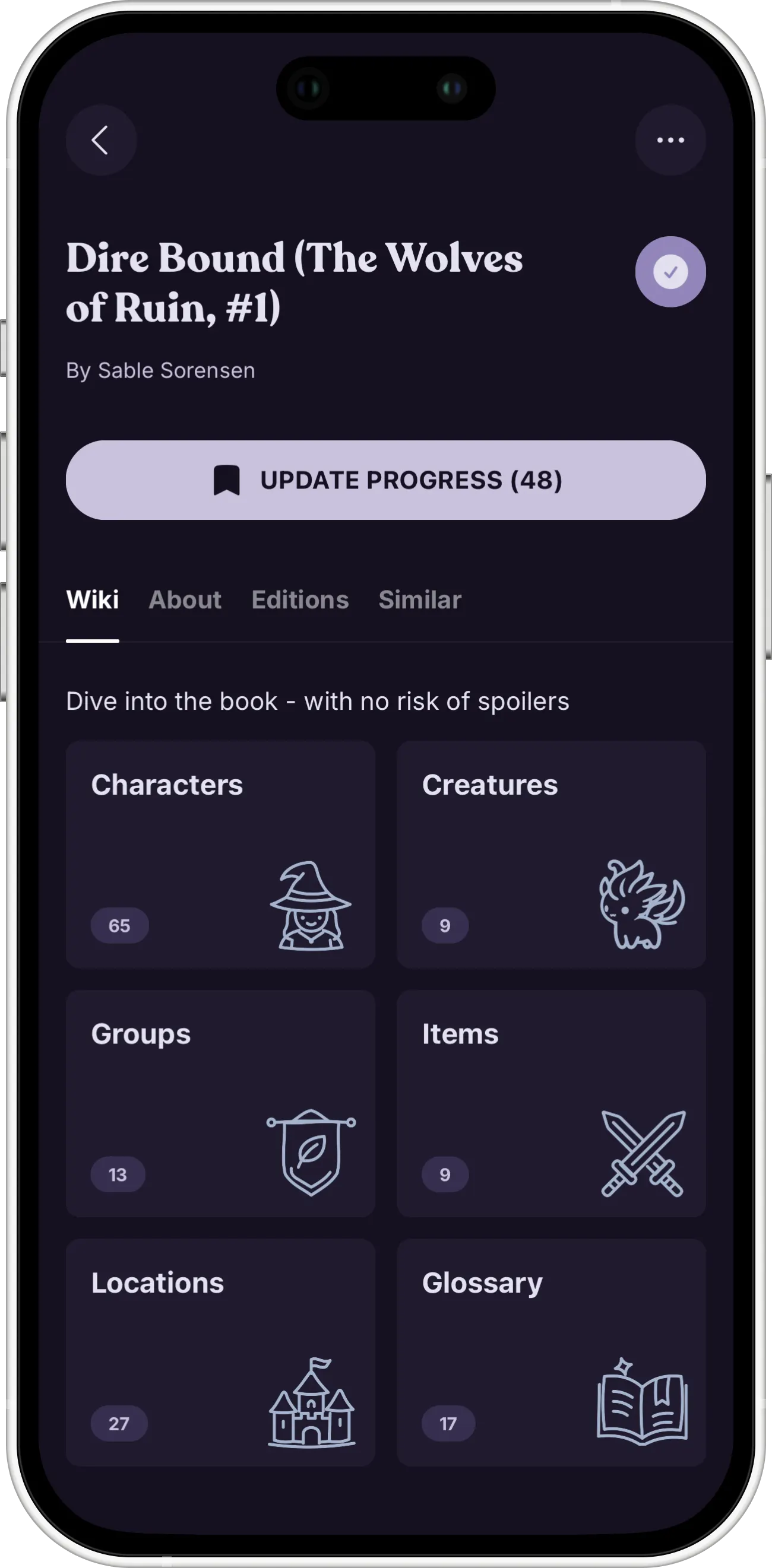
A wiki that stops where you do
Characters, creatures, groups, items, locations and a glossary for the book you’re reading, with every entry filtered to the chapters you’ve actually read.
Progress in two taps
Tell BookBubble where you are and it takes care of the rest. Your progress decides which entries open up and which stay hidden.
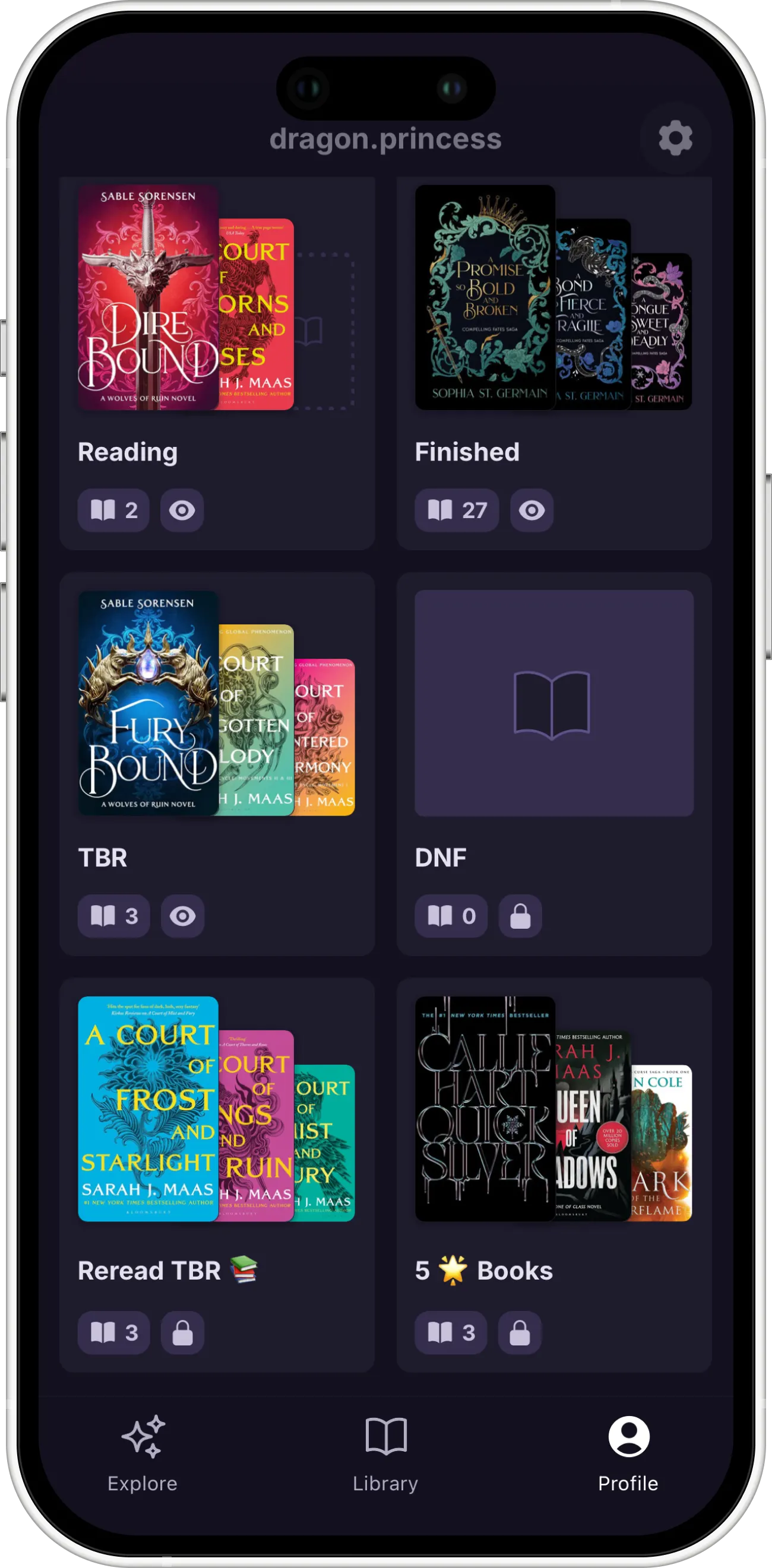
Shelves that match how you read
Currently Reading, Finished, TBR and DNF are there from day one. Add your own collections on top, like a reread pile or your five-star favourites.
Reactions, safely timed
React to a twist on the page where it happened. Readers who haven’t got there yet won’t see it.
Your next book, lined up
Browse similar books, compare editions and follow a series without stumbling onto what happens three books later.
You decide who sees what
Every shelf has its own visibility setting, so your public favourites and your private DNF pile can sit side by side.
Questions, answered
How does BookBubble avoid spoilers?
Everything in the app is tied to your reading progress. When you update where you are, BookBubble only shows you the wiki entries and reactions that are safe at that point, and keeps the rest hidden until you catch up.
What is inside a book wiki?
Six categories: characters, creatures, groups, locations, items and a glossary. There’s also an about section, other editions and similar books. Each category shows how many entries it has before you open it.
Who writes the wiki entries?
Readers do. The wiki is a community feature, so anyone can add to it. An empty wiki isn’t much fun to look at, though, so we’re also building a feature that reads the book for you and fills in the basics to get things started.
What is the library for and how is it organised?
Somewhere between the book you’re reading, the ones you’ve finished and the ones you keep meaning to start, things get lost. The library is where you keep track of it all. It comes with four shelves (Currently Reading, TBR, DNF and Finished), and you can add your own collections to organise your books however you like.
Can I keep my shelves private?
Yes. Every shelf and collection has its own setting, public or private, so you’re always in control of what other people can see.
Which devices does BookBubble support?
BookBubble works on iPhone and iPad. Download it from the App Store and sign in with your Apple account. An Android version is on the way, but it isn’t ready yet.
Is there a minimum age for BookBubble?
Yes, you need to be 16 or older, since some of the content can get pretty spicy.
New to the shorthand?
Book people have a lot of jargon. Our book terms wiki explains 50 of the most common words in plain English, without spoilers.
Start your next book with BookBubble
Free to download on iPhone. Add your first book and improve your reading habit.